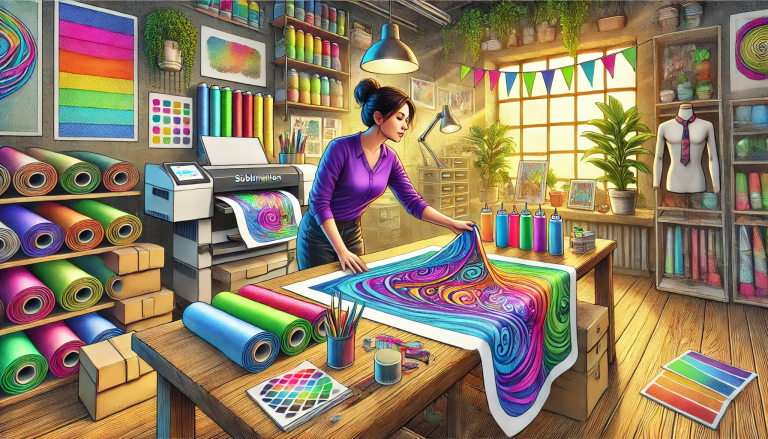
“Unlock the Possibilities of Sublimation with Quaff Dye Inkjet Paper!” – SUBLIMATIONTRANSFERPAPER – A3+ Vinyl Sublimation Paper Wholesale, Fast Dry Sublimation Transfer Paper Supplier, Made in China
Quaff Dye Inkjet Sublimation Paper is a high-performance medium designed for vibrant, durable transfers with dye-based sublimation inks and inkjet printers. Mastering its use requires following precise steps—from printer setup to post-transfer care—to unlock its full potential. Below is a detailed guide to ensure flawless results every time.
1. Preparations: Gather Tools and Check Compatibility
First, confirm all tools are compatible and ready. You’ll need: Quaff Dye Inkjet Sublimation Paper, a piezoelectric inkjet printer (e.g., Epson, Sawgrass), genuine dye sublimation inks, a heat press, sublimation-friendly substrates (100% polyester fabrics, polymer-coated mugs/metal), and image editing software (e.g., Photoshop, CorelDRAW). Ensure the paper matches your printer’s size capacity (common options: A4, A3+) and the substrate’s polymer content—low polyester blends will cause faded prints.
2. Printer Setup: Calibrate for Optimal Ink Deposition
Proper printer configuration is critical for avoiding smudges and ensuring color accuracy. Load Quaff Dye Inkjet Sublimation Paper into the printer’s paper tray with the coated side facing up (the coated side is slightly glossy; check the manufacturer’s mark if unsure). Open your printer settings, select “Sublimation Paper” as the media type, and adjust the paper weight to match (typically 100–120 gsm for Quaff paper). Set print quality to “High” or “Photo” for sharp details, and disable “Mirror Print” only if your software already flips the image—sublimation requires mirrored designs to transfer correctly.
3. Image Preparation: Design and Print with Precision
Edit your design in image software to match the substrate size (e.g., 18×24 inches for a t-shirt). Use high-resolution images (300 DPI) to avoid pixelation, and adjust colors slightly brighter than desired—sublimation ink may dull slightly during transfer. Once ready, print the mirrored design onto the Quaff paper. Allow the print to dry completely (1–2 minutes, thanks to Quaff’s quick-dry coating) before handling to prevent ink smudging. Avoid touching the printed area with bare hands, as oils can disrupt transfer.
4. Heat Press Process: Master Temperature, Pressure, and Time
Preheat your heat press to the recommended temperature (350–400°F/175–205°C; Quaff paper works best at 385°F/196°C for most fabrics). Prepare the substrate by cleaning it with a lint roller to remove dust or debris. Place the printed Quaff paper printed side down on the substrate, securing it with heat-resistant tape to prevent shifting. Close the heat press and apply medium to high pressure (40–60 psi)—too little pressure causes incomplete ink penetration, while too much may crush delicate substrates like thin fabrics. Hold for 45–60 seconds (adjust based on substrate: 60–90 seconds for hard items like mugs).
5. Post-Transfer Care: Peel and Finish for Durability
After the timer ends, open the heat press and peel the Quaff paper slowly and steadily (use heat-resistant gloves to avoid burns). For fabrics, use a “cold peel” method—wait 1–2 minutes for the substrate to cool slightly before peeling to lock in colors. For hard substrates like ceramics, peel immediately while warm. Once peeled, let the printed item cool completely (10–15 minutes) before washing or handling. For fabrics, wash in cold water with mild detergent and avoid bleach or fabric softener to preserve print longevity.
Troubleshooting Common Issues
If prints are faded, increase heat press temperature by 10°F or extend time by 10 seconds. Smudged prints indicate insufficient drying time—allow the printed paper to sit longer. Ghosting (double images) means the paper shifted during pressing—use more heat-resistant tape. For hard substrates, ensure the press has even heat distribution to avoid patchy transfers.
Conclusion
Using Quaff Dye Inkjet Sublimation Paper effectively relies on careful preparation, precise printer calibration, and mastery of heat press parameters. Its quick-dry coating and high transfer efficiency make it a reliable choice for both hobbyists and commercial users. By adhering to the steps outlined—from checking tool compatibility to post-transfer care—you can consistently produce vibrant, long-lasting prints that showcase the paper’s performance and elevate your sublimation projects.
Using Quaff Dye Inkjet Sublimation Paper effectively boils down to compatibility checks, precise printer setup, and mastering heat press parameters. By following these steps, you’ll leverage Quaff’s quick-dry coating and high transfer efficiency to create vibrant, long-lasting custom products—whether for hobbyist projects or commercial production.