“Unlock the Possibilities of Sublimation with A4 Sublimation Heat Paper!” – SUBLIMATIONTRANSFERPAPER – Inkjet Sublimation Paper Jumbo Roll Wholesale, Instant Dry Vinyl Sublimation Paper Manufacturer, Made in China
1. The Short Answer: Absolutely Yes
Using sublimation ink on A4 Sublimation Heat Paper is not only feasible but also the standard and recommended practice for small-scale sublimation printing. A4 Sublimation Heat Paper is specifically engineered to pair with sublimation ink, featuring a porous, ink-receptive coating that locks in pigment particles and facilitates smooth heat transfer. Unlike regular paper, it prevents ink bleeding, smudging, or fading during the printing and transfer process, ensuring high-quality results on polyester-based substrates.
2. Key Advantages of This Combination
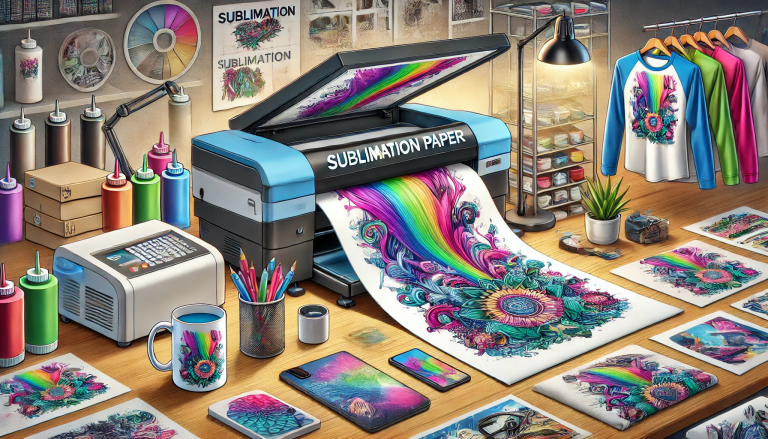
The synergy between sublimation ink and A4 Sublimation Heat Paper offers several practical benefits. First, it delivers vibrant, long-lasting color reproduction—sublimation ink, when heated, turns into a gas that bonds permanently with the substrate, while the paper’s coating ensures even ink distribution for consistent hues. Second, it’s ideal for small-batch or personalized projects, such as custom mugs, phone cases, small apparel pieces, or promotional items, where A4 size meets most individual or small-business needs. Additionally, this pairing is compatible with most desktop sublimation printers, making it accessible for hobbyists and home-based crafters.
3. Step-by-Step Usage Guidelines
To achieve optimal results when using sublimation ink on A4 Sublimation Heat Paper, follow these key steps: First, ensure your printer is a dedicated sublimation printer (or has been converted with sublimation-compatible components) to avoid ink contamination. Load the A4 Sublimation Heat Paper into the printer, ensuring the coated side (usually the brighter or smoother side) faces the correct direction for printing. Next, adjust printer settings—select “sublimation paper” as the media type, set the appropriate resolution (300-600 DPI for sharp details), and calibrate ink density if needed. After printing, allow the ink to dry completely (1-2 minutes for A4 size) to prevent smudging. Finally, use a heat press to transfer the design onto the preheated substrate, following the recommended temperature (180-200°C) and time (20-60 seconds) for the specific material.
4. Critical Notes to Avoid Mistakes
While the combination is straightforward, certain precautions are essential. Never use non-sublimation ink (e.g., pigment or dye-based ink) on A4 Sublimation Heat Paper, as it will not transfer properly and may ruin the paper and substrate. Always confirm the A4 paper is specifically labeled “sublimation heat paper”—regular A4 paper lacks the necessary coating and will cause ink bleeding. Additionally, ensure the substrate is polyester or has a polyester coating; sublimation ink will not bond with cotton or non-coated materials. Finally, store both sublimation ink and A4 Sublimation Heat Paper in a cool, dry place to prevent moisture absorption, which can affect print quality and transfer efficiency.