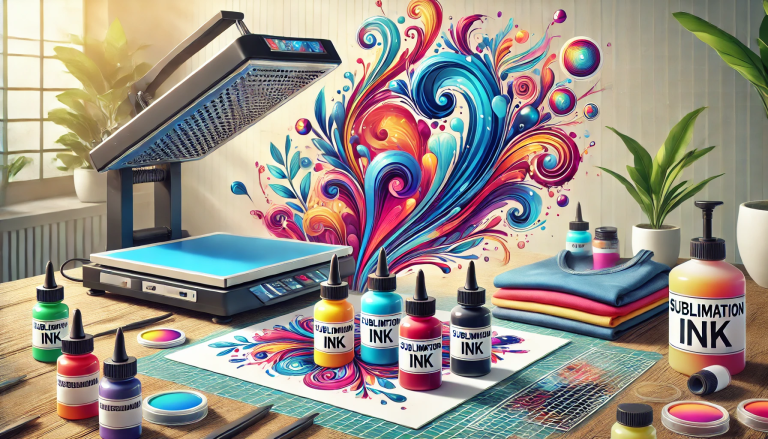
The question “Can you sublimate on transfer paper?” is one of the most common queries among DIY crafters, small business owners, and printing enthusiasts venturing into the world of sublimation. The short answer is no—but with critical caveats. To understand why, we must first unpack the science of sublimation, the distinct properties of transfer paper, and the specialized materials that make sublimation possible. This article will demystify the confusion, explain the key differences between sublimation paper and transfer paper, and guide you toward successful sublimation results.
What is Sublimation Printing?
Sublimation printing relies on a unique chemical process: solid dye particles in sublimation ink are heated to a temperature (typically 350–400°F/175–205°C) that converts them directly into a gas—bypassing the liquid state (this is “sublimation”). The gas then penetrates the fibers of a polyester-based or polymer-coated substrate (e.g., polyester fabric, coated mugs, aluminum sheets) and solidifies again when cooled, becoming permanently embedded in the material. Unlike traditional printing, which sits on top of the surface, sublimated designs are part of the substrate itself—resulting in vibrant, fade-resistant, and washable outputs that never peel or crack.
For this process to work, three components are non-negotiable: sublimation ink (formulated with sublimable dyes), a polyester or polymer-coated substrate (polyester is the only material that can trap sublimated gas), and sublimation paper (a specialized medium designed to facilitate the transfer of sublimation ink).
What is Transfer Paper?
Transfer paper, by contrast, is a general term for paper used in heat transfer printing—a broader category that includes methods like vinyl transfer, screen print transfers, or inkjet heat transfers. Traditional transfer paper (often called “heat transfer paper” or “iron-on paper”) is designed to hold ink that sits on top of the substrate. For example:
- Inkjet transfer paper uses regular inkjet ink, which is printed onto the paper and then heat-pressed onto fabric (usually cotton or blends), where the ink adheres to the surface.
- Vinyl transfer paper carries cut vinyl designs that are heat-applied to substrates.
The key difference between transfer paper and sublimation paper lies in their coating, absorbency, and intended use. Transfer paper is engineered to release ink onto the surface of a substrate, while sublimation paper is designed to hold sublimation ink temporarily, then release it as a gas that penetrates the substrate’s fibers. Transfer paper is not coated to work with sublimation ink, nor does it facilitate the sublimation process.
Why You Can’t Sublimate on Transfer Paper
Attempting to use transfer paper for sublimation will fail for three core reasons:
1. Incompatible Coating
Sublimation paper features a special porous coating (often made of silica or a polymer blend) that serves two critical purposes:
- It absorbs and holds sublimation ink evenly, preventing smudging or bleeding during printing.
- It releases the ink as a gas when heated, allowing it to penetrate the substrate.
Transfer paper, by contrast, has a coating (if any) designed for regular ink (e.g., inkjet, laser) or vinyl. This coating does not absorb sublimation ink properly—leading to ink bleeding, uneven prints, or the ink failing to release as a gas. Even if you print sublimation ink onto transfer paper and heat-press it, the ink will not sublimate; instead, it will either remain trapped in the paper, smudge on the substrate, or peel off immediately.
2. Substrate Limitations
As mentioned earlier, sublimation requires a polyester or polymer-coated substrate. Transfer paper, however, is often used with non-polyester materials like cotton, which cannot trap sublimated gas. Even if you paired transfer paper with sublimation ink and a polyester substrate, the transfer paper’s coating would block the ink from sublimating into the substrate. The result would be a faint, blurry design that fades or washes away.
3. Ink Compatibility
Sublimation ink is specifically formulated with dyes that sublimate at high temperatures. Traditional transfer paper is designed for standard inks (inkjet, laser, or screen print inks), which do not sublimate. Conversely, sublimation ink will not adhere to transfer paper’s coating in a way that allows for successful transfer. The combination is chemically mismatched, leading to failed results.
The Correct Alternative: Sublimation Paper
If you want to achieve sublimation prints, you must use sublimation paper—not transfer paper. Sublimation paper is engineered to work seamlessly with sublimation ink and polyester substrates. Here’s what makes it essential:
- High Absorbency: The coating on sublimation paper quickly absorbs sublimation ink, preventing pooling and ensuring sharp, vibrant designs.
- Low Weight: Sublimation paper is typically lightweight (around 90–120 gsm) to allow heat to penetrate evenly, facilitating the sublimation process.
- Release Properties: When heated, the paper releases the sublimated ink gas efficiently, allowing it to bond with the substrate.
- Compatibility: Sublimation paper is designed to work with sublimation printers (e.g., Epson EcoTank converted for sublimation, Sawgrass Virtuoso) and sublimation ink—creating a cohesive system that delivers consistent results.
Common Misconceptions
Many beginners confuse sublimation paper with transfer paper because both are used in heat-based printing. Here are two key myths debunked:
Myth 1: “All heat transfer paper is sublimation paper.”
False. As explained, transfer paper is for surface-level ink application, while sublimation paper is for gas-based penetration. They are not interchangeable.
Myth 2: “You can use transfer paper with sublimation ink if you adjust the heat.”
No. Adjusting temperature or pressure will not overcome the chemical incompatibility between transfer paper’s coating and sublimation ink. The ink will not sublimate, and the design will not bond to the substrate.
Step-by-Step Guide to Successful Sublimation (Using the Right Paper)
To avoid frustration and achieve professional results, follow these steps for sublimation printing:
- Gather the Right Materials: Invest in sublimation ink, a sublimation printer, sublimation paper, and a polyester/polymer-coated substrate (e.g., polyester t-shirt, coated ceramic mug, aluminum keychain).
- Prepare Your Design: Use graphic design software (e.g., Adobe Photoshop, Canva) to create your design. Remember that sublimation prints are reverse images (mirror images) because they transfer onto the substrate—so flip your design horizontally before printing.
- Print on Sublimation Paper: Load sublimation paper into your printer (ensure the paper is loaded correctly—print side up) and print your design using sublimation ink. Allow the ink to dry for 1–2 minutes to prevent smudging.
- Prep the Substrate: If printing on fabric, pre-press it for 5–10 seconds to remove moisture and wrinkles (moisture can ruin sublimation results). For hard substrates (e.g., mugs), ensure they are clean and dry.
- Heat Press: Place the printed sublimation paper onto the substrate (design side down) and secure it with heat-resistant tape to prevent shifting. Heat-press at the recommended temperature and time (e.g., 385°F/196°C for 45–60 seconds for fabric; follow the substrate manufacturer’s guidelines).
- Peel and Enjoy: After pressing, allow the substrate to cool slightly, then peel off the sublimation paper. The design will be permanently embedded in the substrate—vibrant, durable, and ready for use.
Troubleshooting Failed Sublimation Attempts
If your sublimation prints are blurry, faint, or peeling, the issue is likely not the technique itself but the materials. Common culprits include:
- Using transfer paper instead of sublimation paper.
- Using non-sublimation ink (e.g., regular inkjet ink).
- Using a non-polyester substrate (e.g., 100% cotton with no polymer coating).
- Insufficient heat or pressure during pressing.
Always double-check that you’re using the three essential components: sublimation ink, sublimation paper, and a polyester/polymer-coated substrate.
Conclusion
To return to the original question: “Can you sublimate on transfer paper?” The answer is a definitive no. Sublimation relies on a specialized process that requires sublimation paper, sublimation ink, and a polyester-based substrate—none of which can be replaced by transfer paper. Transfer paper is designed for surface-level heat transfers, while sublimation paper enables the gas-based penetration that makes sublimation prints durable and vibrant.
By understanding the science behind sublimation and investing in the right materials, you can avoid costly mistakes and create stunning, long-lasting prints for personal use or your business. Remember: sublimation is a system—each component (ink, paper, substrate) works in harmony, and cutting corners with incompatible materials (like transfer paper) will only lead to disappointment. So, skip the transfer paper and opt for sublimation paper—your designs will thank you.